The window
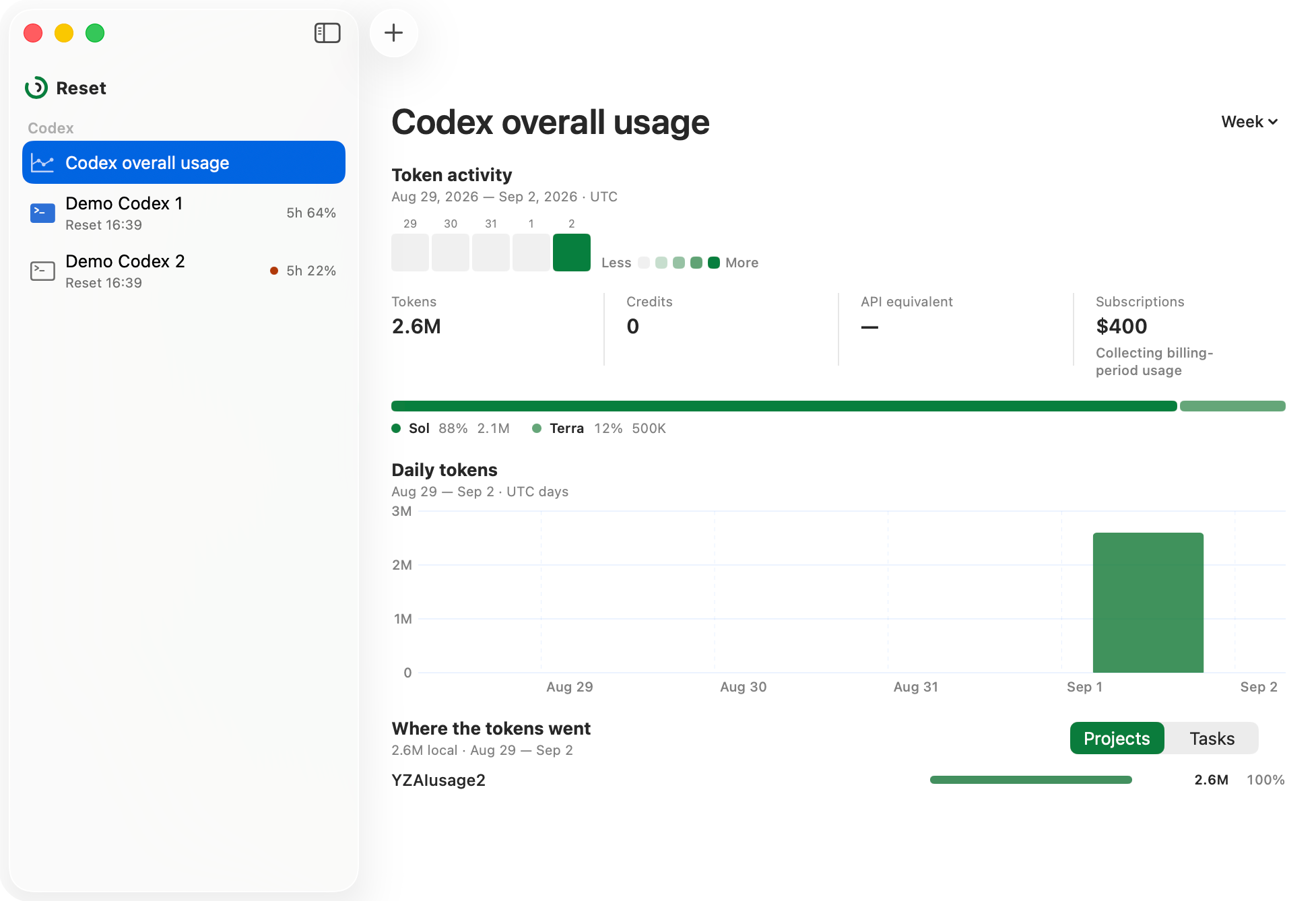
Every account and every window, with token history, model mix, projects and tasks behind them, under one selected period.
Reset watches your Codex and Claude Code limits from the edge of your screen, and lights up the moment Tibo, who runs Codex at OpenAI, posts a Reset Surprise.
Every so often Tibo posts a Reset Surprise on X: a milestone, a thank-you, and everyone’s usage limits are reset. Reset tells a landed reset from a promised one, turns “tonight at 8pm PST” into a countdown on your own clock, and marks the ring.
Reset reads his public posts and lets one through only when it clearly says a reset has happened or is coming. A joke about a reset button stays a joke.
He writes “8pm PST” and “tomorrow”. Reset resolves that once and shows how long is left, wherever you are.
A landed or announced reset earns a bright mark, a tease a dim one, and a cap being put back never earns one. Each leaves by its own clock.
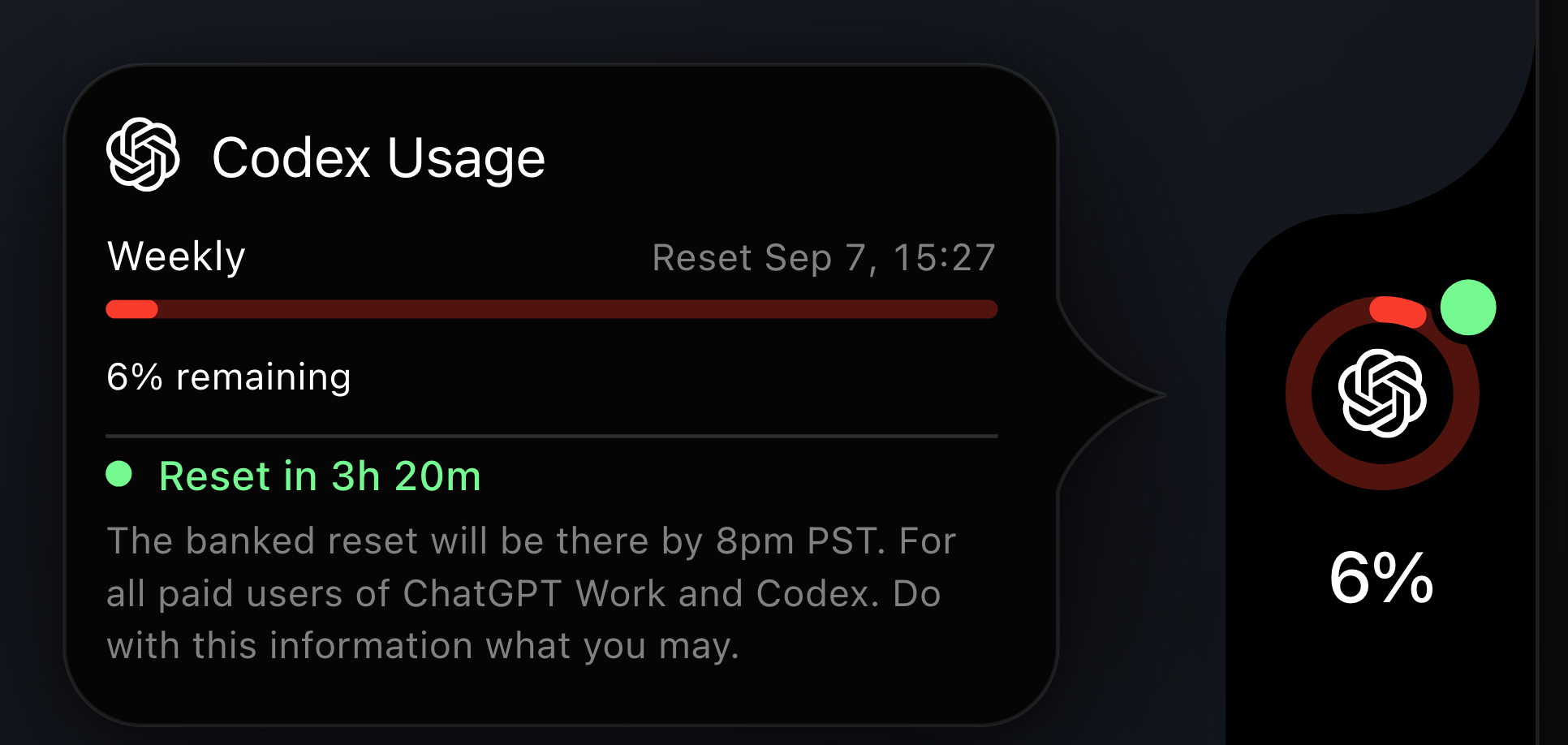
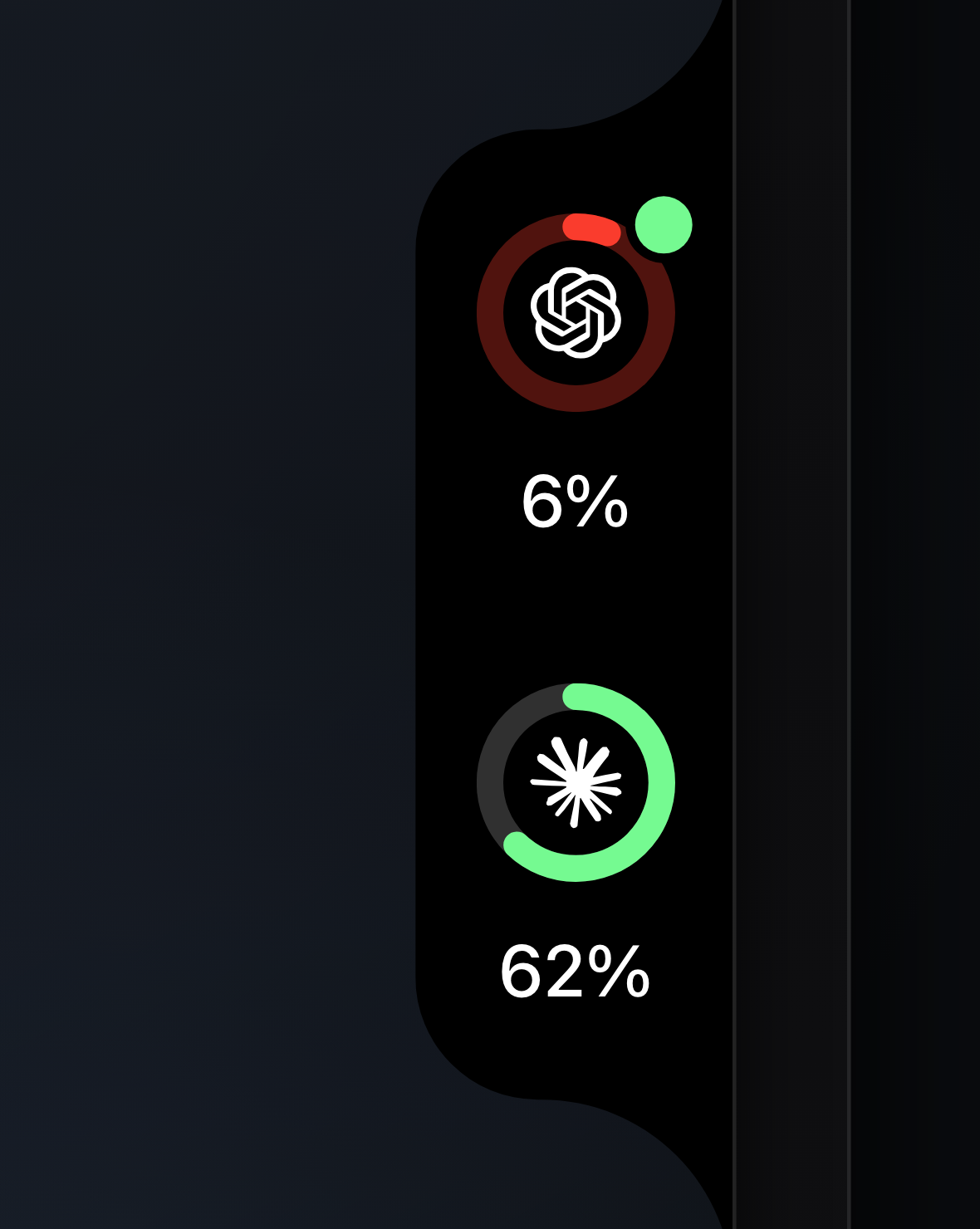
Each ring drains as its allowance is spent and turns amber, then red. The rail stays above whatever you are working in, tucks into the edge until you point there, and opens a bubble with every window behind the number.
Out when you point at the edge.
Gone when you don’t.

The window explains the trend, the menu bar keeps the next limit one click away, the widget sits on the desktop, and the rail stays above everything else. Every number, on every surface, is what is left.
Every account and every window, with token history, model mix, projects and tasks behind them, under one selected period.
The tightest window, in the corner you already look at.
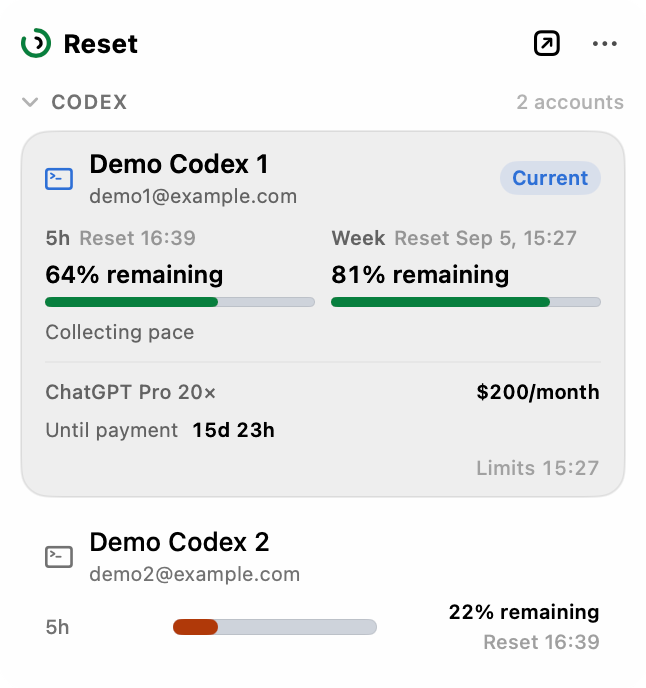
Add Reset to Notification Centre or the desktop and the same reading is there when you swipe. It refreshes on its own and costs nothing to glance at. Small, medium and large sizes.
Always in front, out of the way until you want it. One ring per provider, a mark when Tibo posts a Reset Surprise, a bubble when you point at it.
See the rail →Reset keeps your data on your Mac. It reads what the CLIs already wrote, stores what it learns beside them, and lists every network request it makes in a public privacy contract.
Read the privacy contract →No telemetry, no advertising SDK, no account service, no crash reporting. The only network traffic is the public Reset News feed, the update check, and, if you turn it on, your own providers’ usage endpoints.
Saved accounts live in macOS Keychain, never in a plain file. Switching accounts is a validated transaction that puts the previous credential back if the new one fails.
Usage history is a SQLite file in your Application Support folder. It holds numbers and bounded work labels, never prompts, responses or source files.
Free · macOS 26 or newer · Apple silicon
Every release lists a SHA-256 checksum next to the download. Compare it before you open the app.